
Fast browsing
Conversation list with search and caching
Open the app and jump straight to conversations that include media, with cached data to make returning sessions faster.
Media Messages Backup is a simple Android app for backing up images and videos from SMS and MMS conversations. Pick conversations or individual messages, choose a folder, and keep original timestamps intact so everything stays in order.
The app stays focused on backing up media from your messages without extra clutter. It is designed for quick browsing, large conversation history, and reliable background jobs.
Open the app and jump straight to conversations that include media, with cached data to make returning sessions faster.
Back up everything at once or narrow the selection to just images, just videos, or a specific slice of time.
Saved files preserve message dates and tracked history helps stop the same media from being written again by accident.
Open a conversation, preview what you want, then save it to a folder you control. For recurring backups, schedule a job and let Android handle the rest.
Browse media threads, search by contact, and use previews to select exactly what should be included.
Filter by media type, date range, or received-only content, then choose the destination folder.
Run an immediate backup or set a recurring schedule with progress notifications and job history in the app.
Media Messages Backup works with SMS and MMS media. It does not work with RCS chats because Android does not provide a standard public API for reading RCS conversations from messaging apps.
A quick look at the core flow: finding media conversations, previewing attachments, setting filters, and managing recurring backups.
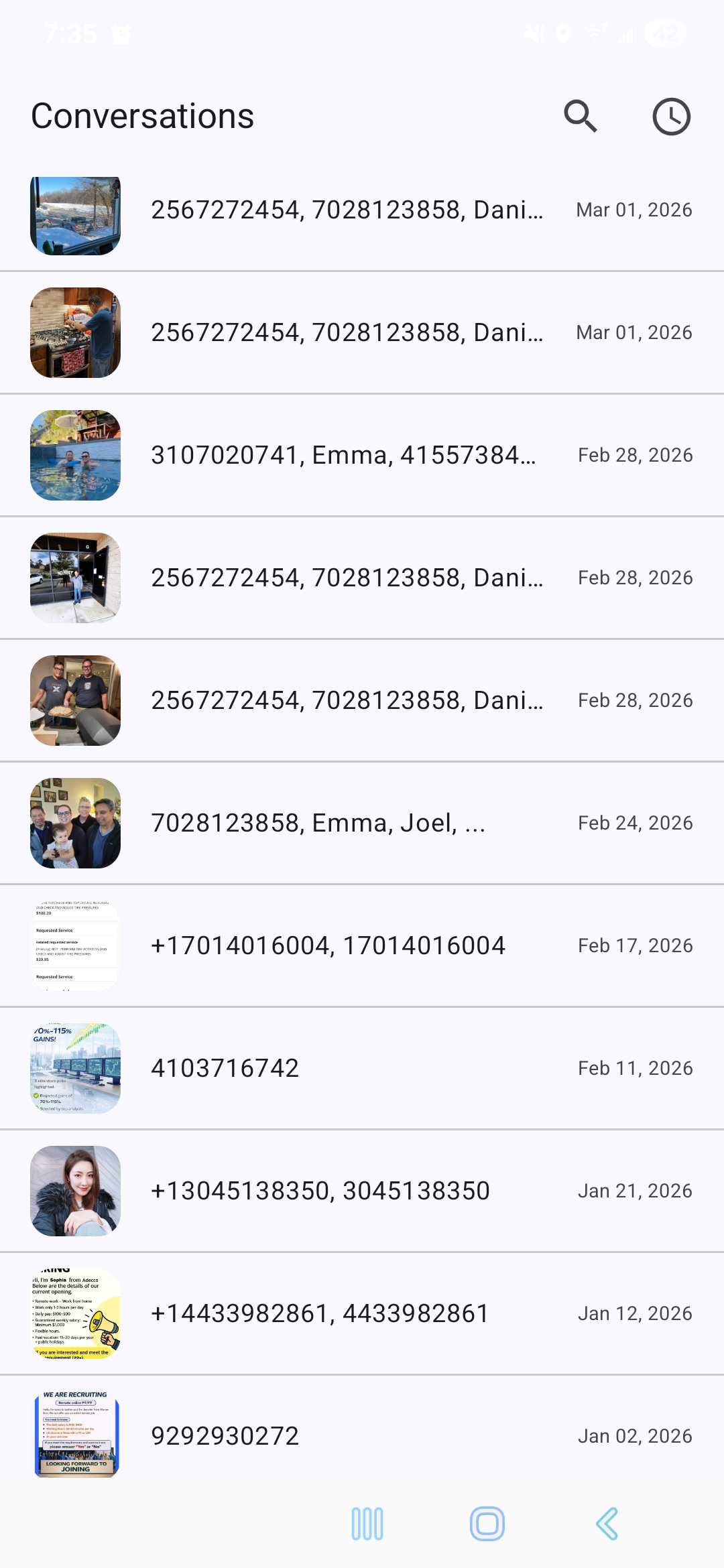
Show the search view and media-first conversation list.
Highlight thumbnails, selection, and quick message-level backup.
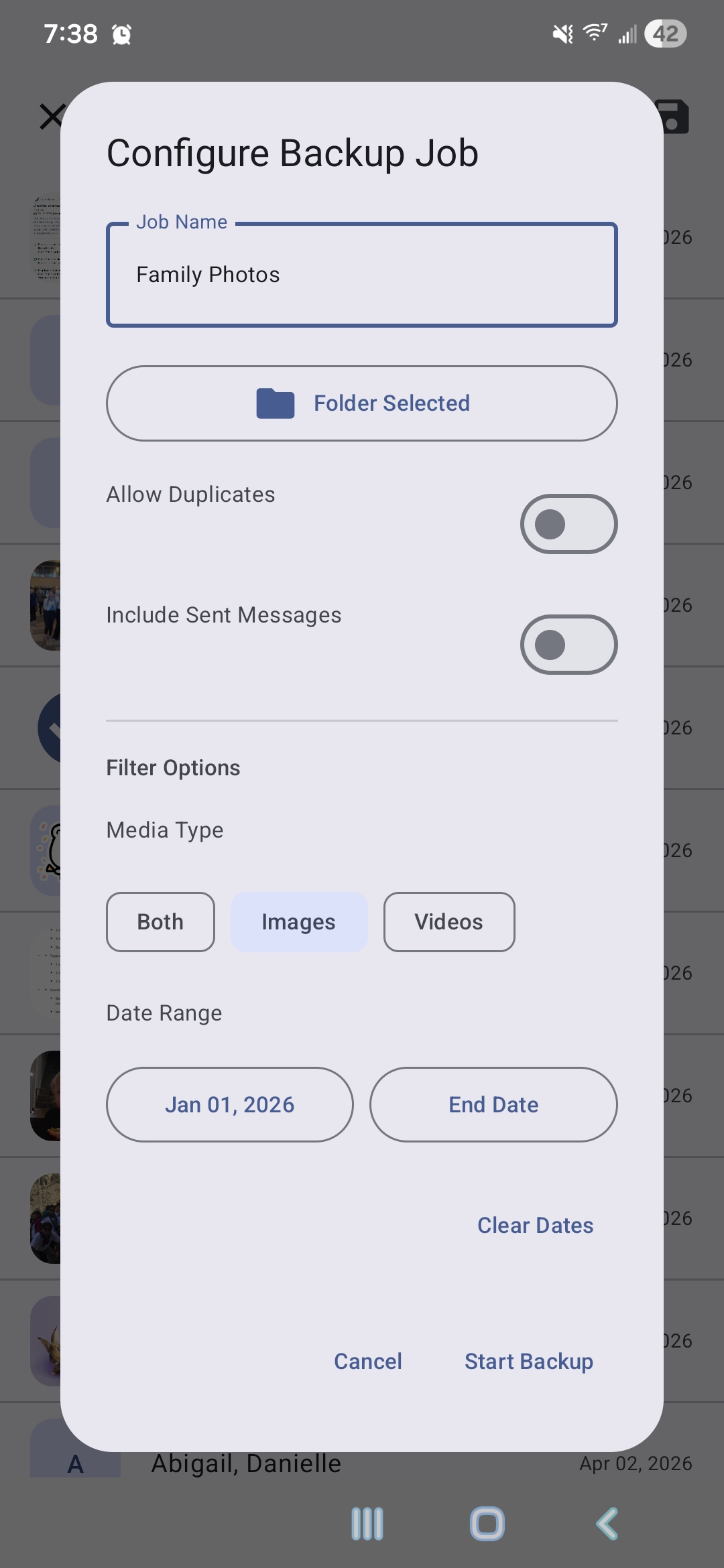
Use a capture that shows media type and date range filters.
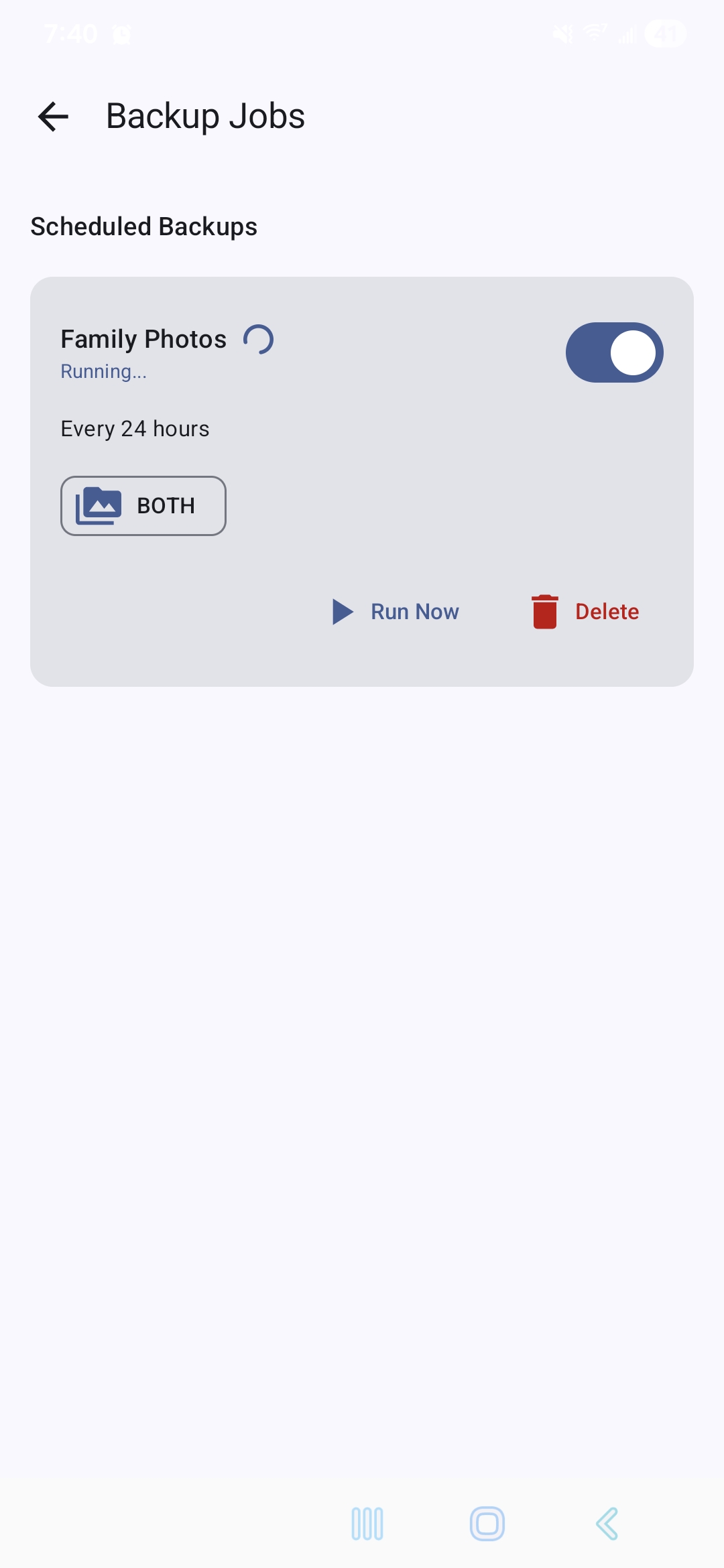
Show recurring jobs, status, and notification-driven workflow.
Media Messages Backup does not require an account, does not include analytics or ad tracking, and does not send your messages or media to a remote server. It reads local message data only so it can save selected attachments to a folder on your device.
View the full privacy policyThis app is meant for the practical cases: keeping family photos from message threads, archiving media before switching phones, or maintaining a folder-based backup you control yourself.
A focused Compose interface keeps the flow short: browse, filter, pick a folder, and start the backup.
Pagination and caching help the app stay responsive even when older conversations include a lot of media.
Your files stay on your device or in the storage location you choose. There is no built-in cloud account or syncing service.